Refurbished path
Refurbished Xbox Series S
Confirm 512GB or 1TB, the seller, and a warranty in writing.
Xbox Series S / Refurbished guide
The Xbox Series S is Microsoft’s lowest-priced current console: all-digital, with no disc drive, and sold with 512GB or 1TB of storage. Microsoft sells it Certified Refurbished with a 90-day warranty. The real decision isn’t new versus refurbished so much as whether the storage you’re buying is enough for the games you play.
Last verified:
Paid links. We may earn a commission from qualifying purchases.
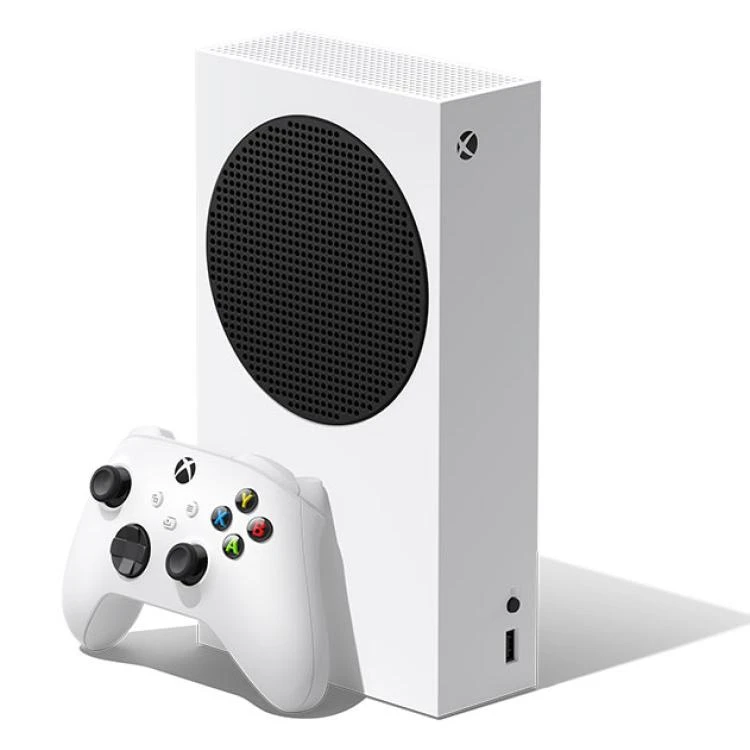
Product image: Microsoft
Quick answers
The short version. Each answer is explained, with sources, further down this guide.
A refurbished Xbox Series S is worth it when its storage fits your games and the saving makes up for the 90-day warranty. Every Series S is all-digital, and optimized games must run from the internal SSD or an expansion card, so a Microsoft Certified Refurbished 1TB is the safer default for anyone planning several large games.
No. Microsoft sells its own Certified Refurbished Series S, in 512GB and 1TB Robot White, through the Microsoft Store; Amazon Renewed and other sellers set their own terms. Microsoft’s warranty excludes products not purchased from Microsoft or an authorized reseller, so ask the seller what covers the console.
Microsoft’s U.S. hardware warranty lists refurbished Xbox consoles at 90 days, versus one year for a new Series S. After that, Microsoft charges a flat out-of-warranty repair fee that is a large share of what the console costs, so weigh the refurbished saving against one repair. Other sellers set their own warranty.
Choose by how many large games you keep installed. Optimized games must run from the Series S’s internal SSD or a Storage Expansion Card, not a USB drive, and part of the storage is reserved for the system. Compare current prices for both sizes before you choose.
No. No Xbox Series S has a disc drive, and Microsoft says disc-based games are not compatible with either the 512GB or 1TB model. If you own physical games or want 4K Blu-ray, look at a Series X disc model instead.
Yes. Rockstar lists GTA VI for Xbox Series X|S, but neither Microsoft nor Rockstar has published resolution or frame-rate figures for the Series S. As an optimized game, GTA VI must be installed on the internal SSD or an expansion card, so plan for space on a 512GB console.
Version check
It’s either 512GB or 1TB, and listings often omit it, so confirm it before you buy. Microsoft currently lists three Series S versions; all are all-digital, and only storage and color differ.
| Attribute | Original capacity512GB | Larger capacity1TB Carbon Black | Larger capacity1TB Robot White |
|---|---|---|---|
| Storage | 512GB SSD | 1TB SSD | 1TB SSD |
| Color | Robot White | Carbon Black | Robot White |
| Disc drive | None | None | None |
| Microsoft Certified Refurbished | Listed | No refurbished listing found | Listed |
From xbox.com and Microsoft Store product pages. Microsoft says disc-based games are not compatible with either the 512GB or 1TB Series S.
The real tradeoff
Only if the storage fits the games you keep installed, because optimized games can’t run from a USB drive. This is the decision that matters most with a Series S, refurbished or new.
Three Microsoft rules shape it:
So compare these three paths at current prices, not just the console price:
When we checked the Microsoft Store, its Certified Refurbished 1TB Series S cost the same as a new 512GB model. Prices change, but that’s the kind of comparison worth making before you choose.
Who refurbished it
Microsoft’s Certified Refurbished Series S is tested by Microsoft technicians and carries Microsoft’s 90-day warranty; a Series S from another refurbisher depends on what that seller offers.
Microsoft describes its Certified Refurbished Series S as a pre-owned console that’s been “professionally inspected, cleaned, repaired, and tested by Microsoft technicians,” updated with the latest system software, and repackaged with its accessories. Product pages note the unit “may contain cosmetic imperfections.” Microsoft’s 512GB refurbished page (opens in a new tab) says a Series S comes with a controller, an HDMI cable, and a power cord.
Warranty. Microsoft’s U.S. hardware warranty gives new consoles one year and lists refurbished Xbox consoles at 90 days. Once that ends, Microsoft’s service page (opens in a new tab) listed a flat $239 out-of-warranty repair fee for the Series S when we checked, a large share of what the console costs. Microsoft Complete, which Microsoft says covers breakdown and accidental damage for up to three years, has to be bought at purchase or within 45 days.
Third-party refurbished. Amazon Renewed and other sellers set their own terms. Microsoft’s warranty excludes products “not purchased from Microsoft or an authorized reseller” and damage from repairs by anyone other than Microsoft or its authorized providers, so ask the seller what covers the console.
Compare your next step
Compare current Amazon listings. On a Series S, check the storage size first, then the seller’s warranty.
Refurbished path
Confirm 512GB or 1TB, the seller, and a warranty in writing.
New path
Includes Microsoft’s one-year limited warranty.
Paid links. We may earn a commission from qualifying purchases.
Step up?
Step up to a refurbished Series X for native 4K, a disc drive, or more built-in storage; otherwise the Series S covers digital play on 1080p and 1440p TVs.
Microsoft sums up the difference this way: the Series X “displays games in native 4K, is available with a UHD Blu-ray Disc player,” and comes with 1TB or 2TB, while the Series S “is designed for disc-free gaming at 1440p (with the ability to upscale to 4K)” with 512GB or 1TB.
A refurbished Series X is worth the extra money if you:
Stay with the Series S if you play on a 1080p or 1440p TV, buy digitally, or want the smallest and lightest Xbox. Our refurbished Series X guide covers its three versions and the same 90-day warranty question.
Buying guide
Storage: 512GB or 1TB. Listings often omit it, and it changes the decision.
You’re fine with digital games only. No Series S plays discs.
Microsoft Certified Refurbished (Microsoft Store), or a third-party seller.
Warranty length and provider in writing. Microsoft’s refurbished warranty is 90 days.
Return window long enough to download and test several games.
Controller, HDMI cable, and power cord included.
Whether anyone other than Microsoft opened or repaired it.
Factory reset with “Reset and remove everything.”
GTA VI
The Series S is a supported console for GTA VI, but its performance there isn’t confirmed, and storage is the practical issue.
Rockstar lists GTA VI for Xbox Series X|S, coming November 19, 2026. Xbox has said the Series S “remains the lowest-cost way for console players to enjoy the biggest hits this year,” naming GTA VI, and the Xbox Store marks the game “Optimized for Xbox Series X|S.”
What isn’t confirmed: neither Microsoft nor Rockstar has published GTA VI resolution or frame-rate figures for the Series S. Numbers you may see are third-party predictions.
The practical issue is storage. As an optimized game, GTA VI has to be installed on the internal SSD or an expansion card, and no official install size has been published. On a 512GB console, plan for uninstalling other games or adding an expansion card. Our best console for GTA VI guide compares the Series S with the PS5, PS5 Pro, and Series X.
Troubleshooting guidance
These are topics in Microsoft’s support documentation, not failure-rate data. On an all-digital console, network and storage come first.
View Microsoft’s storage management guideMicrosoft documents a built-in network test. On an all-digital console, every game is a download, so this is the first thing to check.
Microsoft documents customizing installs (some games let you install only parts) and moving games to external storage.
Microsoft’s steps: correct TV input, secure HDMI on the “out to TV” port, another TV port and cable, then a power cycle.
Microsoft links unexpected shutdowns to ventilation or the power supply, and asks for 4–6 inches of clearance and a direct wall outlet.
When it arrives
Check the storage in Settings: 512GB or 1TB, as listed.
Match the back-sticker serial to Settings > System > Console info.
Run Reset console > Reset and remove everything if any profile is present.
Run Test network connection before anything else.
Sign in, update the system, and set it as your home Xbox.
Register the console to your Microsoft account to check warranty status.
Update and test the controller: buttons, sticks, triggers.
Check picture and sound over HDMI, directly to the TV.
Download and play a large game to test storage and network together.
Play for a while with 4–6 inches of clearance.
Still comparing Xbox Series S?
Check the current refurbished and new options before you decide.
Paid links. We may earn a commission from qualifying purchases.