Refurbished path
Refurbished Qrevo
Confirm the exact variant, the seller, and the warranty or guarantee on the listing.
Roborock Qrevo / Refurbished guide
“Qrevo” is a family of Roborock robot vacuums with self-washing mop docks, and the variants differ in suction, mop-washing water, drying, and whether they use a camera. Roborock’s U.S. store no longer lists the original Qrevo new, and the certified refurbished Qrevos it listed when we checked are later variants. Identify the exact model first, then confirm the warranty line on the listing: Roborock’s refurbished warranty is 6 months, not the 1 year it gives new robots.
Last verified:
Paid links. We may earn a commission from qualifying purchases.
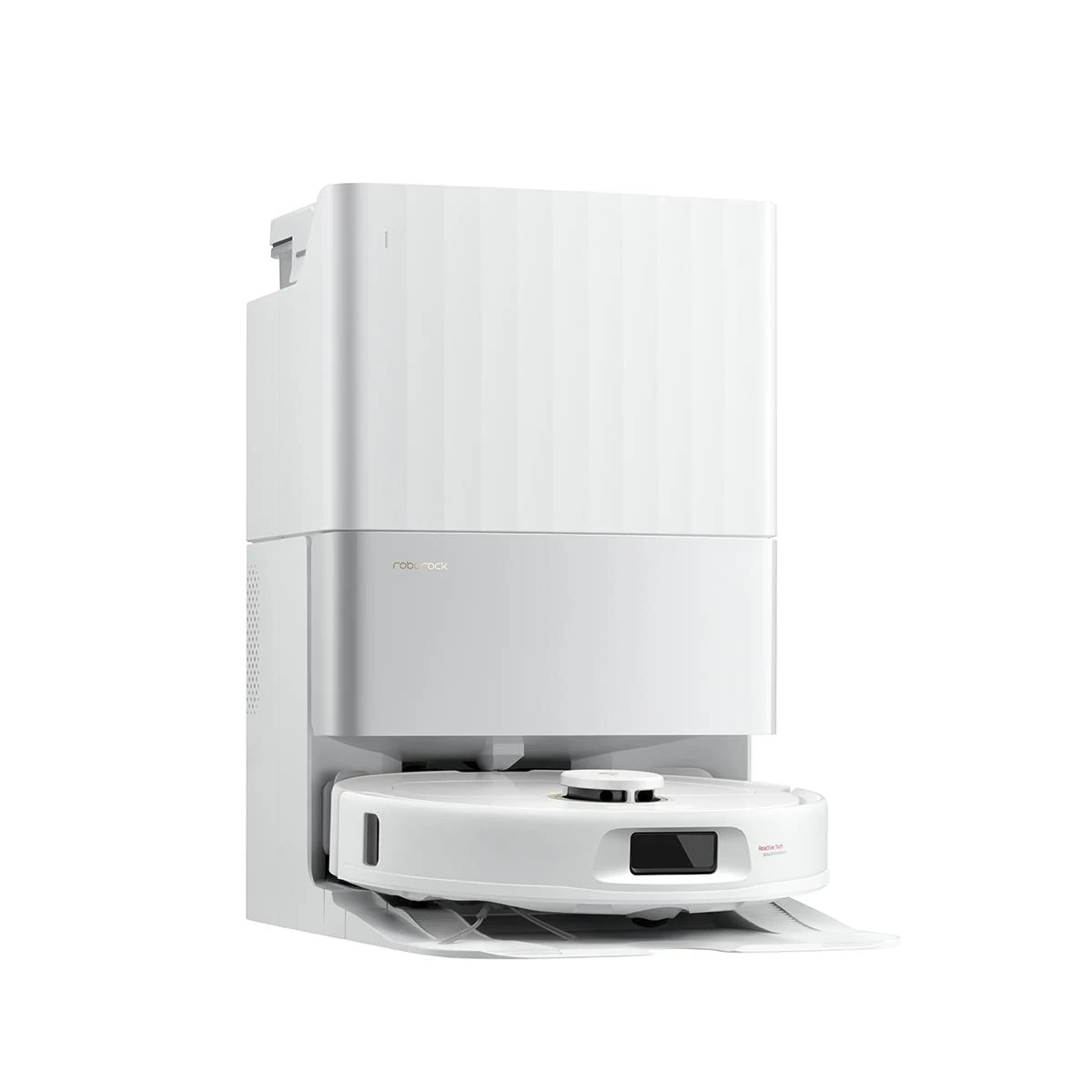
Illustrative image
Quick answers
The short version. Each answer is explained, with sources, further down this guide.
Check the exact name and model number, because “Qrevo” covers many different robots. Roborock’s manuals give QX0PEA for the original Qrevo, QX1PEC for the Qrevo S and QR2PSL for the Qrevo Plus. The Qrevo S5V is a different robot from the Qrevo S, with 12,000 Pa suction.
It can be, if you know which variant it is and who refurbished it. The certified refurbished Qrevos on Roborock’s U.S. store when we checked were later variants such as the Pro, MaxV and Master, which Roborock says wash mops with 140°F water. Roborock gives refurbished units a 6-month warranty, so test the dock and battery early.
Roborock’s U.S. warranty gives certified refurbished robots 6 months, versus 1 year new, when bought from Roborock’s own store or its official Amazon.com or eBay.com stores. Some Roborock refurbished product pages show different warranty lines, so confirm the one on your listing. eBay Certified Refurbished items add eBay’s own two-year warranty serviced by Allstate.
Roborock’s U.S. pages state hot-water mop washing for the Qrevo Pro, MaxV and Master (140°F), the Qrevo Slim (60°C) and the Qrevo Edge (up to 167°F). They don’t state it for the original Qrevo, Qrevo S or Qrevo Plus, which do dry their mops in the dock.
Roborock’s U.S. store no longer lists the original Qrevo new; the only record we found was a trade-in listing. It isn’t in Roborock’s U.S. certified refurbished listings either, so look for one from a marketplace seller, ideally Roborock’s own Amazon.com or eBay.com store, which Roborock’s 6-month refurbished warranty covers.
Ask the seller to remove the robot from their Roborock app before it ships; we found no official Roborock procedure for a buyer to do it. Then follow the manual: reset the Wi-Fi, add the robot as a new device on a 2.4 GHz network, and restore factory settings if it still misbehaves.
Who refurbished it
Roborock gives its certified refurbished robots a 6-month warranty, half the 1 year it gives new ones, whether you buy from its U.S. store or its official Amazon.com or eBay.com store. Longer cover comes from eBay’s own program, not from Roborock.
Roborock’s warranty. Roborock’s U.S. warranty (opens in a new tab) covers a certified refurbished product bought at Roborock’s official store, its official store on Amazon.com, its official store on eBay.com, or another official Roborock store for “six (6) months from the product purchase date.” New products get one year. Roborock repairs, replaces with a new or refurbished unit, or refunds, at its discretion. The warranty “cannot be assigned or transferred,” excludes consumables such as brushes, and doesn’t apply to products bought or used outside the U.S.
But read the listing. Roborock’s own refurbished product pages don’t all say the same thing. When we checked, the refurbished Qrevo Pro page showed both a “6-month Warranty” block and a “1-year limited warranty with extended warranty option selected” line, the Qrevo S5V page showed only the 1-year line, and the Qrevo MaxV page said coverage “follows the same terms as for new products.” The 1-year lines most likely include the optional paid extension, but the pages don’t say so. Screenshot the warranty line on the listing you buy from, and ask Roborock support (support@roborock.com) if it’s unclear.
What Roborock says a refurbished unit is. Roborock’s refurbished program page (opens in a new tab) says each unit is “a pre-owned device professionally restored to full working condition,” that “batteries are tested to ensure they retain around 80% of their original capacity,” and that “most accessories are brand new,” with a small portion recovered and tested. It promises a 30-day return window and “free lifetime technical support for all refurbished products.” These are Roborock’s claims. Every refurbished title on the U.S. store starts with “Certified Refurbished 90% New,” but Roborock publishes no grading scale behind that label, and the MaxV page body says “99% new.” Expect possible light scratches, which Roborock says may be present.
eBay. eBay’s Refurbished program (opens in a new tab) gives items in its Certified condition, “direct from the brand or authorized seller,” a two-year warranty that Allstate services, plus 30 days of free returns, “subject to certain exceptions.” That two-year warranty is eBay’s, not Roborock’s. A Certified unit from Roborock’s own eBay store would also fall under Roborock’s 6-month terms; eBay and Roborock don’t say which to contact first. Listings marked “Seller Refurbished” are not part of eBay’s program.
Amazon. Roborock’s warranty names its official Amazon.com store as a refurbished channel, so a refurbished Qrevo sold by that store carries Roborock’s 6 months. A unit from another seller in Amazon Renewed is outside Roborock’s refurbished clause and relies on the Amazon Renewed Guarantee (opens in a new tab): Amazon says most Renewed items include a 90-day return period and tells buyers to check the product page.
Batteries are a gray area. Roborock’s separate online store warranty (opens in a new tab) lists batteries among the consumable parts it excludes, while its main warranty page doesn’t mention batteries at all. Don’t assume a weak battery is covered; ask before you buy.
For how these programs compare across brands, see our refurbished robot vacuum warranty guide.
| Decision point | Roborock U.S. store | Roborock’s Amazon or eBay store | Other Amazon Renewed seller | New |
|---|---|---|---|---|
| Roborock warranty | 6 months; confirm the line on the product page | 6 months, per Roborock’s warranty | Not named in Roborock’s refurbished clause | 1 year from purchase |
| Marketplace cover | None | eBay Certified: eBay’s two-year warranty, serviced by Allstate | Amazon Renewed Guarantee | Depends on the retailer |
| Returns | 30 days from delivery; all accessories and original packaging required | eBay: 30 days, free, with exceptions. Amazon: shown on the listing | 90-day return period for most Renewed items | Set by the retailer |
| Battery | Tested to around 80% of original capacity (Roborock’s claim) | Ask the seller | Ask the seller | New battery |
Compare your next step
On Amazon, check three things before price: which Qrevo variant the listing is, who sells it (Roborock’s official store carries Roborock’s 6-month refurbished warranty; another Renewed seller relies on the Amazon Renewed Guarantee), and the return window shown.
Refurbished path
Confirm the exact variant, the seller, and the warranty or guarantee on the listing.
New path
Confirm the variant and who sells it. Roborock’s one-year warranty covers products sold by Roborock and its authorized resellers.
Paid links. We may earn a commission from qualifying purchases.
Model check
Find the exact name and model number before anything else. The Qrevo variants share a name and a self-washing mop dock, but Roborock’s own specs differ on suction, mop-washing water, drying, and whether there’s a camera.
Roborock’s manuals give the robot model numbers for three of the earlier variants: QX0PEA for the original Qrevo (spelled “Q Revo” in some Roborock documents), QX1PEC for the Qrevo S, and QR2PSL for the Qrevo Plus. The manual puts the serial number sticker on the robot’s underside; ask the seller for a photo of the robot’s labels and the exact model number.
The table uses only what Roborock’s U.S. pages and manuals state. “Not stated” means we didn’t find it in an official Roborock source, not that the feature is missing. The last column shows which variants Roborock’s U.S. store listed as certified refurbished when we checked; it isn’t a stock claim.
| Variant | Suction | Mop-washing water | Mop drying | Obstacle sensing | Refurbished on Roborock U.S. store |
|---|---|---|---|---|---|
| Qrevo (original, QX0PEA) | 5,500 Pa | Not stated | Dries mops; method not stated | Not stated | No |
| Qrevo S (QX1PEC) | Not stated on U.S. pages | Not stated on U.S. pages | Dries mops; method not stated on U.S. pages | Reactive Tech sensor | No |
| Qrevo Plus (QR2PSL) | 7,000 Pa | No hot water listed | Warm air; temperature not stated | Reactive Tech (structured light) | No |
| Qrevo Pro | 7,000 Pa | 140°F | Warm air, 113°F | Reactive Tech | Yes |
| Qrevo MaxV | 7,000 Pa | 140°F | Warm air, 113°F | Reactive AI: structured light plus RGB camera | Yes |
| Qrevo Master | 10,000 Pa | 140°F (60°C) | Warm air, 45°C | Reactive AI: structured light plus RGB camera | Yes |
| Qrevo Slim | 11,000 Pa | 60°C | Warm air; temperature not stated | 3D Time-of-Flight plus RGB camera | Yes |
| Qrevo S5V | 12,000 Pa | Not stated | Dries mops; method not stated | Reactive Tech (structured light) | Yes |
| Qrevo Edge | 18,500 Pa | Up to 167°F (75°C), three settings | Warm air, 113°F (45°C) | Reactive AI: structured light plus RGB camera | Yes |
| Qrevo Edge S5A | 18,500 Pa | Not stated | Not stated | Not stated | Yes |
From Roborock’s U.S. product, series and blog pages and its U.S. manuals, checked October 25, 2026. Suction figures are Roborock’s; it notes that suction values may vary by country.
What the table means for a refurbished buyer:
Roborock’s U.S. lineup now also includes newer Qrevo models, such as the Qrevo Curv, CurvX, Edge 2, 2 Pro and S Pro. None of them were in Roborock’s U.S. certified refurbished listings when we checked.
Availability
Mostly not from Roborock’s U.S. store. It no longer lists the original Qrevo new, and for the earlier variants it shows sold-out pages or refurbished listings only, so refurbished and marketplace units are now the main way to get one.
When we checked, the original Qrevo appeared on Roborock’s U.S. store only as a trade-in record. The product pages for the Qrevo S, Plus, MaxV, Slim and Edge showed them out of stock or sold out. The Qrevo Pro and Master pages remain on the site, but we found only certified refurbished store listings for them, not new ones. Roborock doesn’t call any of these models discontinued, and we found no statement about ending app support for them.
What that means for you:
Camera models
The MaxV, Master and Edge use an RGB camera with structured light, and the Slim pairs an RGB camera with 3D Time-of-Flight. For the Qrevo S, Plus, Pro and S5V, Roborock lists Reactive Tech obstacle avoidance and no camera.
Roborock says the MaxV recognizes 62 object types in 20 categories and that it supports obstacle photos. For a second-hand camera robot, Roborock’s Trust Center (opens in a new tab) is the relevant source. It says the video feature “is off by default and requires physical confirmation to activate,” that obstacle photos are saved on the robot “in an encrypted format,” and that the cloud “does not store the image.” It also says “actual practices may vary by product model.”
The practical step is the same for every camera model: make sure the robot is off the previous owner’s account before you use it, and install the firmware updates the app offers.
Second owner
Ask the seller to remove the robot from their Roborock app before it ships. We found no official Roborock procedure for a buyer to do it, so use the manual’s reset and add-as-new-device steps.
Roborock’s manuals cover Wi-Fi and reset steps, not account ownership. From the Qrevo S manual (opens in a new tab):
The manuals don’t say whether a factory reset removes the robot from the previous owner’s account or deletes their maps. So get the seller to remove it from their app in writing before shipping, set it up early in the return window, and contact the seller if it’s still linked to someone else. The original Qrevo’s manual says it supports both the Roborock and Mi Home apps.
Buying guide
The exact variant and model number. “Qrevo,” “Qrevo S,” “Qrevo S5V” and “Qrevo Series” are not interchangeable.
Who refurbished it and who sells it: Roborock’s U.S. store, Roborock’s official Amazon.com or eBay.com store, or another seller.
The warranty line on the listing, with a screenshot. Roborock’s refurbished pages don’t all say the same thing.
On eBay: the “Certified - Refurbished” condition. “Seller Refurbished” listings are not part of eBay’s program.
On Amazon: the “Sold by” name and the return window the listing shows.
The full kit: robot, dock, dock base where the model has one, power cable, mop modules or cloths.
That the unit was sold for the U.S. Roborock’s warranty excludes products bought or used outside the U.S.
That the seller has removed the robot from their Roborock app account.
Upkeep
Plan on new mop cloths every 1 to 3 months and new brushes and filters within a year. Check the part name for your exact variant: the original Qrevo’s filter fits no other Qrevo.
Intervals. Roborock’s Qrevo S manual (with the same intervals in the Qrevo Plus, Qrevo Series and original Qrevo manuals) says:
Roborock adds that replacement frequency varies, and parts with abnormal wear should be replaced immediately. On a refurbished unit, worn parts mean an early cost, since Roborock’s warranty excludes consumables such as brushes.
Compatibility traps, from Roborock’s own U.S. part names:
Battery. We found no replacement robot battery for any Qrevo on Roborock’s U.S. store. Ask Roborock support before relying on a battery replacement.
Manual guidance
These are setup and care points from Roborock’s Qrevo S user manual, not failure-rate data. Several matter in the first days with a refurbished unit.
View Roborock’s Qrevo S user manual (PDF)Roborock says to always install a dust bag before closing the dust container cover, so the dock doesn’t auto-empty without one. You can also turn auto-emptying off in the app.
Don’t lift the dock by the dock base, the water tank handles or the dust container cover. That matters when you unpack and set up a refurbished unit.
If the Qrevo S waits more than 30 minutes for a connection, it disables Wi-Fi. Reset the Wi-Fi to try again; only 2.4 GHz networks are supported.
A system reset (the Reset button) restores schedules and Wi-Fi to factory settings. If the robot still misbehaves, hold the home button and press Reset to restore factory settings.
After rinsing the washable filter, Roborock says to let it dry for at least 24 hours. A spare filter avoids downtime.
When it arrives
Match the model number and variant to the listing before you unpack everything.
Check the kit against the listing’s in-box list, including the dock base and mop modules.
Fit a dust bag before the first auto-empty, as Roborock’s manual instructs.
Look inside the dirty-water tank and the dock base for residue or damage.
Connect on a 2.4 GHz network. If the robot is still on someone else’s account, contact the seller.
Install firmware updates the Roborock app offers, then let the robot map your home.
Run a full vacuum-and-mop job and watch the dock wash and dry the mops afterward.
Charge fully and note how the battery holds up over several runs.
Keep the receipt or order confirmation. Roborock uses proof of purchase to set the warranty start date.
Keep the box and every accessory until the return window closes.
Still comparing Roborock Qrevo?
Check the current refurbished and new options before you decide.
Paid links. We may earn a commission from qualifying purchases.