Refurbished path
Refurbished Roomba Combo j5
Confirm the seller, the guarantee window, and that the Combo Bin, pad, and dock are included.
Roomba Combo j5 / Refurbished guide
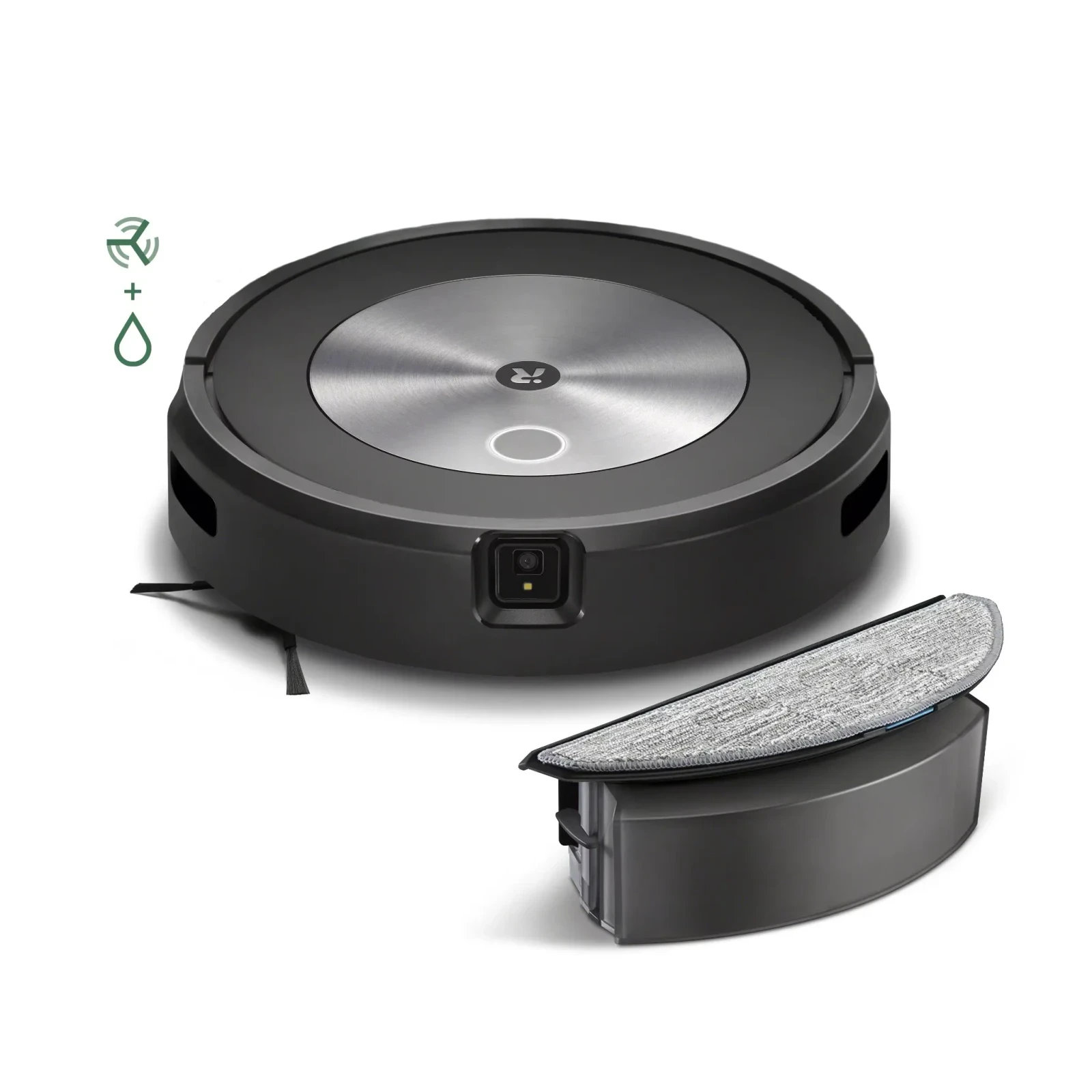
The Roomba Combo j5 is a camera-navigation j series robot that vacuums, and mops when you swap its dust bin for a water-tank Combo Bin; the Combo j5+ adds the Clean Base auto-empty dock. With the Combo Bin in, it always mops, can’t detect rugs, and doesn’t self-empty. For a refurbished buyer the key issues are the app (iRobot says you must register the robot and complete a mapping run before using the Combo Bin) and who stands behind the unit: 90 days from iRobot, two years through Allstate on eBay Certified listings, or Amazon’s Renewed Guarantee.
Last verified:
Paid links. We may earn a commission from qualifying purchases.
Illustrative image
Quick answers
The short version. Each answer is explained, with sources, further down this guide.
It suits a mostly hard-floor home where rugs can be zoned out in the app. iRobot’s Restored robots carry a 90-day limited warranty, and eBay Certified Refurbished listings add a two-year warranty serviced by Allstate. The mop function depends on the iRobot Home (Classic) app, so set it up early in the return window.
Only the dock. The Combo j5 (J517020) comes with a Home Base charger and a drip tray, and the Combo j5+ (J557020) comes with the Clean Base, which empties the robot into bags. iRobot lists the same robot weight and size, and both include the Combo Bin and a mopping pad.
No. iRobot says that with the Combo Bin installed the robot always vacuums and mops at once, and that it cannot detect floor types, carpets, or rugs. You keep rugs dry by drawing No Mop Zones in the iRobot Home app.
iRobot says the robot must be registered in the iRobot Home app and complete a mapping run before the Combo Bin is used, and that the bin needs to be activated. iRobot doesn’t say whether a new owner must repeat activation after a reset, so confirm the mop works under your own account before the return window closes.
iRobot Restored units get a 90-day limited warranty that excludes cosmetic damage. eBay Certified Refurbished units add a two-year Allstate-serviced warranty, and Amazon Renewed listings are backed by the Amazon Renewed Guarantee. iRobot’s warranty also excludes cleaning pads, and lists water damage among its exclusions.
iRobot says to replace the microfiber mopping pad after 30 washes and the wick cap when it’s dirty, worn, or dispensing water too fast. Its Combo j5 and i5 replenishment kit (item 4822643) contains two pads and four wicks.
Who refurbished it
iRobot’s own refurbished (Restored) robots carry a 90-day limited warranty. Anything longer comes from the channel: two years through Allstate on eBay Certified Refurbished, or the Amazon Renewed Guarantee on Amazon.
iRobot Restored. iRobot’s Restored details (opens in a new tab) say “all restored robots come with a standard 90-day limited warranty,” which “will not cover cosmetic damage or scratches.” Within 90 days iRobot troubleshoots and sends any parts needed; after that, “the customer will have to purchase a part or replacement if necessary.” The article doesn’t mention a return window, and we found no U.S. irobot.com refurbished store.
eBay. iRobot says its refurbished robots sold through eBay “also have a 2-year extended warranty through Allstate,” and tells buyers to look for the Blue Checkmark, a two-year warranty in the listing, and shipping from Hazleton, Penn. eBay’s Refurbished program (opens in a new tab) gives Certified items a two-year warranty from the purchase date and 30-day free returns, “subject to certain exceptions.” “Seller Refurbished” listings are not part of eBay’s program. The sources also conflict on the remedy: iRobot says eBay buyers may contact Allstate after 90 days “for a refund only,” while eBay’s warranty page (opens in a new tab) lists “100% parts and labor coverage.”
Woot. iRobot says “all woot Refurbished Roombas are direct from iRobot.” Woot’s warranty policy (opens in a new tab) says a manufacturer warranty supersedes Woot’s own, which excludes batteries, so read the warranty line on the listing.
Amazon. Amazon says most Renewed items include a 90-day return period under the Amazon Renewed Guarantee, and Renewed Premium items a 365-day one; the product page shows which applies. On October 25, 2026, one Amazon listing for a refurbished Combo j5+ was labelled “Refurbished - Excellent,” “Sold by: iRobot Store,” with a “90-day Amazon Renewed Guarantee.” iRobot’s Restored article names only eBay and Woot, so whether iRobot’s own 90 days also applies to Amazon purchases isn’t stated.
For how these programs compare across brands, see our refurbished robot vacuum warranty guide.
| Decision point | iRobot Restored (Woot) | eBay Certified Refurbished | Amazon Renewed | New |
|---|---|---|---|---|
| Refurbished by | iRobot | The brand or an authorized seller; iRobot units show the Blue Checkmark | The seller named on the listing, iRobot Store or a third party | Factory new |
| Warranty or guarantee | 90-day iRobot limited warranty; no cosmetic cover | Two years, serviced by Allstate, from the purchase date | Amazon Renewed Guarantee: 90-day return period for most items, 365 days for Renewed Premium | iRobot limited warranty, one year from purchase |
| Returns | Not stated by iRobot; check the listing | 30 days, free, with exceptions | Shown on the product page | Set by the retailer |
| Pet-waste promise | No | No | No | Original owner, one year |
Compare your next step
On Amazon, check who sells the unit (the iRobot Store or another Renewed seller), which return window the listing shows, and whether it’s the Combo j5 or the Combo j5+ with the Clean Base.
Refurbished path
Confirm the seller, the guarantee window, and that the Combo Bin, pad, and dock are included.
New path
Confirm the model number and who sells it. iRobot’s U.S. site points to select retailers.
Paid links. We may earn a commission from qualifying purchases.
Model check
The robot and its Combo Bin are the same; the dock is the difference. The j5+ empties itself, but only when the dust bin, not the Combo Bin, is installed.
| Attribute | Combo j5J517020 | Combo j5+J557020 |
|---|---|---|
| Dock | Home Base charging station, plus a drip tray | Clean Base Automatic Dirt Disposal |
| Empties itself | No | In vacuum mode only. iRobot says up to 60 days per bag |
| Mopping | Interchangeable Combo Bin and one microfiber pad included | Interchangeable Combo Bin and one microfiber pad included |
| Extras in the box (new) | Extra high-efficiency filter, extra edge-sweeping brush | Extra high-efficiency filter, extra edge-sweeping brush, extra dirt disposal bag |
| Robot weight | 7.5 lbs | 7.5 lbs |
| Robot size | 3.4 x 13.3 x 13.3 in | 3.4 x 13.3 x 13.3 in |
| Dock size and weight | Not listed | 15.8 x 12.2 x 13.3 in (L x W x H), 8.7 lbs |
From iRobot’s U.S. product pages for J517020 and J557020, checked October 25, 2026. iRobot lists identical robot specs for both. “Up to 60 days” per bag is iRobot’s figure.
How it mops
It works best on hard floors. With the Combo Bin installed it always mops, can’t detect carpets or rugs, and relies on No Mop Zones you draw in the app.
iRobot’s product pages say the robot “instantly switches from vacuum to vacuum and mop mode when you install the Roomba Combo bin,” and that with the bin in, it “will always vacuum and mop simultaneously.” There’s no mop lift described on either page. iRobot’s mopping guide (opens in a new tab) adds the limits that matter for a buying decision:
Treat water carefully. iRobot warns that if the Combo Bin is left installed, “water will continue to wick out and wet the pad. This could cause flooring damage,” and the owner’s guide notes it starts wicking as soon as water goes in the tank. Store the robot with the dust bin installed, and don’t flip it over with the Combo Bin in. iRobot’s limited warranty (opens in a new tab) lists water damage and failure to follow instructions among its exclusions, so these steps also protect any warranty claim.
If most of your floor is carpet, or rugs move around often, you’ll spend more time managing zones and bins than the mop saves.
Second owner and the app
Yes, through the app: iRobot says the robot must be registered in the iRobot Home app and complete a mapping run before the Combo Bin is used. What iRobot doesn’t say is whether a new owner has to re-activate the bin after a reset.
The owner’s guide says: “You must register your product in the iRobot Home App and complete a mapping run before using your Combo Bin.” iRobot’s mopping guide adds that “your Combo Bin will need to be activated” and that the app walks you through it. The guide we read is iRobot’s European edition; we couldn’t find the U.S. edition. Obstacle detection also has to be enabled in the app before it works, according to iRobot’s product pages.
That makes the account handover more important than on a vacuum-only robot:
The company behind the app. On December 14, 2025, iRobot began a pre-packaged Chapter 11 process (opens in a new tab) and said it expected “no anticipated disruption to its app functionality.” On January 23, 2026, it completed the sale (opens in a new tab) and became “a privately held company wholly owned by Picea,” with a separate iRobot Safe Corporation responsible for protecting U.S. consumer data. That release doesn’t mention the app, and iRobot hasn’t published an end-of-support date for the Classic app. Robots that depend on an app can lose features when its cloud ends: when Neato’s cloud was phased out (opens in a new tab), Neato said its robots would “continue to function manually.” Whether a Combo j5 could still mop in that situation isn’t documented, so weigh it as a long-term risk.
Pet-waste promise
No. iRobot’s terms cover a new j series robot, for the original owner, for one year from purchase.
The Combo j5+ page describes the promise as “valid for one year from purchase” and covering “replacement product only.” Section 22 of iRobot’s terms and conditions (opens in a new tab) limits it to a “new iRobot j series product,” for “the original owner,” bought from iRobot or an authorized seller in the U.S. or Canada, with pet-waste avoidance enabled in the app. Damage to carpets and floors is excluded. The section doesn’t mention refurbished robots, so a refurbished or used Combo j5 falls outside it.
Buying guide
Who refurbished it: iRobot (Restored, sold through eBay, Woot, or the “iRobot Store” seller on Amazon) or another refurbisher.
On eBay: the Blue Checkmark, a two-year warranty in the listing, and shipping from Hazleton, Penn. These are iRobot’s own checks.
On Amazon: the “Sold by” name and which return or guarantee window the listing shows.
Combo j5 (J517020, with drip tray) or Combo j5+ (J557020, with Clean Base). Not the Combo j7+ or Combo i5.
The Combo Bin, the dust bin, a mopping pad, the dock, and the power cord are all included.
The seller has used “Remove Device from Account” in the iRobot Home (Classic) app.
Whether the battery has been replaced, and with what. iRobot doesn’t list the Combo j5 on its replacement battery page.
A return window long enough to register the robot, map, activate the Combo Bin, and test both modes.
Upkeep and battery
Fresh mop pads and wick caps are the obvious first buy, plus a filter every 2 months. Then check the battery with iRobot’s 75-minute test.
Mop consumables. iRobot says to rinse the pad after every job and replace it after 30 washes; air dry it, and don’t tumble dry, iron, dry-clean, or bleach it. Replace the wick cap “if dirty or shows wear,” or if it’s damaged or dispensing water too fast. iRobot’s mopping replenishment kit (opens in a new tab) (item 4822643) has two pads and four wicks, fits the Combo j5 and Combo i5, and is not compatible with the Combo j7+ or Combo j9+. iRobot’s warranty excludes cleaning pads and cleaning solutions.
Vacuum consumables. Replace the high-efficiency filter every 2 months. For brushes, iRobot’s sources differ: its j series care schedule (opens in a new tab) says 6 to 12 months, while the j7+ owner’s guide says 12 months, and we couldn’t read the interval reliably in the Combo j5 guide. Replace them when they show wear. iRobot’s Clean Base refill kit lists the j7+, i3+ EVO, and i7+, not the Combo j5+, so confirm bag compatibility before ordering.
Battery. iRobot’s runtime article (opens in a new tab) says j series robots should run at least 75 minutes on a full charge on hard floors; a low-battery stop before that means the battery may need replacing. Run it in vacuum mode, early in your warranty or return window. iRobot’s replacement battery page lists e, i, and j series robot vacuums and excludes the Combo j7+, j9+, and 10 Max, but doesn’t name the Combo j5, so ask iRobot support before buying one. The two warranty sources also conflict on battery coverage: iRobot’s U.S. article includes the battery in the one-year term for new robots, while an older global iRobot document lists six months. Ask the seller whether its warranty covers the battery.
Troubleshooting guidance
These are troubleshooting topics from iRobot’s mopping guide, owner’s guide, and j series support articles, not failure-rate data.
View iRobot’s mopping guide for the Combo j5iRobot says to replace the wick cap if it’s dirty, worn, damaged, or dispensing water too fast, pressing the new one firmly into place to seal against leaks.
With the Combo Bin installed, iRobot says the maximum threshold height the robot can cross drops from 16 mm to 12 mm.
iRobot says robots with a Home Base need the included plastic drip tray, and that both docks belong on a non-carpeted floor.
For j series robots, iRobot says Error 2 means the Multi-Surface Rubber Brushes can’t turn: hair under the end caps, worn brushes, or thick carpet. Clean, then replace if it returns.
Error 17 means the robot couldn’t finish its job. iRobot lists low light among the causes: the j series camera needs daylight or dim light.
When it arrives
Check the model label: J517020 for the Combo j5, J557020 for the Combo j5+.
Put the dock on a hard floor; with a Home Base, install the drip tray.
Charge for 3 hours before the first job.
Install iRobot Home (Classic), add the robot to your own account, and run a mapping job.
Activate the Combo Bin in the app and draw No Mop Zones over rugs and carpets.
Inspect the wick cap and pad, then run a short mop job on hard floor.
Remove the Combo Bin afterwards and store the robot with the dust bin in.
Check the camera window for cracks and that the front caster spins freely.
In vacuum mode, on a full charge, time a run on hard floors. A low-battery stop before 75 minutes means the battery may need replacing.
Keep the receipt, order confirmation, and the listing’s warranty terms.
Still comparing iRobot Roomba Combo j5?
Check the current refurbished and new options before you decide.
Paid links. We may earn a commission from qualifying purchases.